

CC Camera Shop Near Me in Comilla | CCTV Cameras & DVR | PCZOON

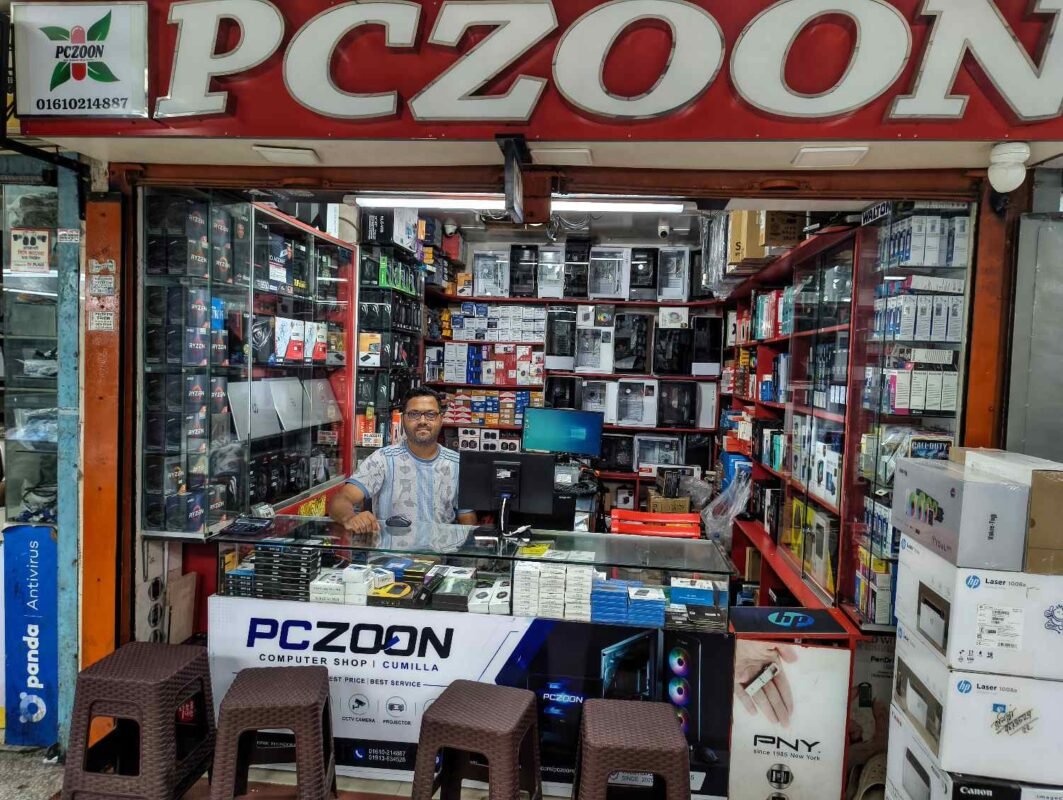
CC Camera Shop Near Me in Comilla: CCTV Cameras, DVR, NVR & Security Solutions | PCZOON
When searching for a CC camera shop near me, customers are usually looking for more than a camera. A complete security system may include cameras, a DVR or NVR, hard drive storage, cables, power supplies, networking equipment, connectors, a monitor, and professional installation or configuration.
Choosing the right CCTV equipment depends on where the cameras will be installed, the area that needs to be monitored, lighting conditions, desired image quality, recording duration, internet availability, and budget. A small home may require a very different setup from a retail shop, office, warehouse, school, restaurant, or commercial property.
For customers in Comilla (Cumilla), PCZOON is a local technology store where you can enquire about CCTV cameras, recording equipment, networking products, storage devices, UPS solutions, and related computer products.
PCZOON is located at F-508, 3rd Floor, Khondokar Haque Tower, Kandirpar, Comilla, Bangladesh. Customers can contact the store to confirm current CCTV models, brands, prices, availability, warranty information, and installation or technical support options before visiting.
Looking for a CC Camera Shop Near You in Comilla?
A local CCTV store can make it easier to discuss the specific security requirements of your property before purchasing equipment.
Instead of selecting a camera based only on megapixels or price, consider the complete surveillance system. A good setup should provide appropriate coverage, reliable recording, suitable storage, and a practical way to monitor the cameras.
PCZOON can be a local point of contact for customers looking for security products for:
- Homes and apartments
- Shops and retail stores
- Offices
- Warehouses
- Restaurants
- Schools and educational institutions
- Small businesses
- Commercial buildings
- Workshops
- Entry and exit areas
- Parking areas
- Indoor and outdoor locations
CCTV product availability changes over time, so check the exact model, specifications, price, warranty, and current stock before making a purchase.
CCTV and CC Camera Products at PCZOON
1. CCTV Security Cameras
CCTV cameras capture video footage of selected areas and send it to a recording or monitoring system.
Different cameras are designed for different environments. Indoor cameras may be compact and discreet, while outdoor cameras generally need stronger weather protection.
Before choosing a camera, consider:
- Resolution
- Lens type
- Viewing angle
- Night vision
- Indoor or outdoor use
- Weather resistance
- Connection type
- Recording compatibility
- Storage requirements
A camera should be selected according to the location where it will be installed rather than simply choosing the highest advertised resolution.
2. Analog CCTV Cameras
Analog CCTV cameras are commonly used with DVR-based surveillance systems. They transmit video through compatible coaxial or related cabling to a digital video recorder.
They can be a practical choice when installing or upgrading a traditional CCTV system.
When choosing an analog camera, check:
- Resolution
- Lens
- Night vision
- Infrared range
- Weather protection
- Cable requirements
- DVR compatibility
Analog systems can be useful for customers who want a straightforward surveillance setup without replacing an existing compatible cabling system.
3. IP Cameras
IP cameras transmit video over a network rather than using the traditional analog video architecture.
They can provide advanced features depending on the model, including higher-resolution video, network access, motion detection, remote viewing, and other intelligent functions.
When planning an IP camera system, consider:
- Network infrastructure
- Ethernet cabling
- Power requirements
- PoE support
- Network bandwidth
- NVR compatibility
- Storage requirements
A properly designed network is important for maintaining reliable performance across multiple IP cameras.
4. Indoor CCTV Cameras
Indoor cameras are designed for locations such as:
- Rooms
- Offices
- Shops
- Reception areas
- Hallways
- Classrooms
- Counters
- Storage rooms
For indoor use, you may not need the same level of weather protection required by an outdoor camera.
The most suitable camera depends on room size, lighting, viewing distance, ceiling or wall position, and the area that needs to be monitored.
5. Outdoor CCTV Cameras
Outdoor surveillance requires equipment capable of handling environmental conditions such as dust, rain, humidity, and temperature changes.
Outdoor cameras are commonly used for:
- Building entrances
- Gates
- Parking areas
- Shop fronts
- Warehouses
- Perimeter areas
- Outdoor storage spaces
Look for appropriate weather and dust protection ratings and make sure the camera is installed in a position that provides the intended coverage.
6. Dome Cameras
Dome cameras have a rounded housing and are commonly used indoors and in commercial environments.
Their compact appearance can make them suitable for shops, offices, reception areas, corridors, and other locations where a less prominent camera design is preferred.
When selecting a dome camera, check its viewing angle, mounting method, night vision, resolution, and environmental rating.
7. Bullet Cameras
Bullet cameras have a longer cylindrical design and are commonly used for outdoor or directional monitoring.
They can be useful when you want to point a camera toward a particular entrance, gate, road, or outdoor area.
Consider the lens, viewing distance, infrared capability, weather protection, and mounting position before purchasing.
8. PTZ Cameras
PTZ stands for Pan-Tilt-Zoom. PTZ cameras can move horizontally and vertically and provide optical or digital zoom depending on the model.
They can be useful when a large area needs active monitoring and an operator needs to change the camera’s viewing direction.
However, PTZ cameras should not automatically replace fixed cameras. A PTZ camera may be pointed in one direction while an important event occurs elsewhere, so the surveillance design should match the property’s requirements.
9. Wi-Fi CCTV Cameras
Wi-Fi cameras connect to a wireless network rather than requiring a traditional network cable for video transmission.
They can be convenient for certain residential or small-business installations where running cables is difficult.
However, Wi-Fi cameras still require reliable power and a stable wireless connection. Wireless signal strength, distance from the router, walls, interference, and network capacity should all be considered.
10. Smart and AI-Enabled Cameras
Some modern CCTV cameras include intelligent features such as:
- Motion detection
- Human detection
- Vehicle detection
- Line crossing alerts
- Area intrusion detection
- Object detection
- Smart notifications
The exact features vary by model and manufacturer.
Smart features can reduce unnecessary alerts, but customers should understand what the camera actually supports instead of assuming that every camera provides the same level of intelligent detection.
CCTV Recording Equipment
11. DVR — Digital Video Recorder
A DVR is commonly used with compatible analog CCTV cameras. It receives video from the cameras and records the footage to a hard drive.
A DVR may also provide:
- Live viewing
- Playback
- Recording schedules
- Motion-based recording
- Remote access
- Backup options
When choosing a DVR, consider the number of supported channels, camera resolution compatibility, storage support, recording features, and remote-access capabilities.
12. NVR — Network Video Recorder
An NVR is primarily designed for IP camera systems.
It records video received over the network and can provide management and playback functions for connected cameras.
When choosing an NVR, consider:
- Number of channels
- Supported camera resolutions
- Network bandwidth
- PoE support
- Storage capacity
- Remote viewing
- Camera compatibility
The NVR should be selected together with the cameras and network architecture rather than treated as a separate purchase.
13. XVR and Hybrid Recording Systems
Some recording devices support multiple camera technologies, allowing users to combine compatible analog and network cameras.
These systems can be useful when upgrading an existing CCTV installation gradually rather than replacing every component at once.
Compatibility should be checked carefully because supported camera technologies and resolutions differ between models.
CCTV Storage Products
14. Surveillance Hard Drives
CCTV systems continuously write video data, so storage drives designed for surveillance workloads can be an important part of the system.
Storage requirements depend on:
- Number of cameras
- Resolution
- Frame rate
- Recording schedule
- Compression technology
- Motion-based recording
- Desired retention period
A system with several high-resolution cameras may require substantially more storage than a small installation.
15. CCTV Storage Capacity
Choosing storage capacity requires more than looking at the number of cameras.
For example, recording continuously at higher resolution generally uses more storage than motion-triggered recording at lower settings.
Before buying a hard drive, estimate how many days of footage you need to retain and consider the recording settings of your cameras.
CCTV Networking Products
16. PoE Switches
Power over Ethernet, or PoE, allows compatible network cables to carry both data and electrical power to supported IP cameras.
PoE switches can simplify IP camera installations by reducing the number of separate power connections required at each camera location.
Before choosing a PoE switch, check:
- Number of PoE ports
- Total PoE power budget
- Port speed
- Camera power requirements
- Network architecture
The switch must provide enough power for all connected devices.
17. Network Switches
A network switch connects multiple network devices within a local network.
In an IP CCTV system, a switch may connect cameras, an NVR, computers, routers, and other network equipment.
The correct switch depends on the number of connected devices, bandwidth requirements, PoE needs, and network design.
18. Routers
A router can connect the CCTV network to the internet when remote viewing is required.
The router itself does not improve camera image quality. Its role is to manage network connectivity and, where appropriately configured, provide internet access for remote monitoring.
A stable internet connection is important for reliable remote access.
19. ONU and Fibre Networking Equipment
Properties using fibre-optic internet may have an ONU as part of their broadband connection.
The ONU, router, switches, and CCTV equipment may work together as part of the property’s network.
Compatibility with the internet service provider and the network architecture should be confirmed before replacing fibre equipment.
CCTV Cabling and Installation Accessories
20. CCTV Cables
Cabling is a critical part of a surveillance system.
Traditional analog cameras may use coaxial-based solutions, while IP cameras commonly use Ethernet network cables.
Cable quality, installation distance, connectors, interference, weather exposure, and routing can all affect system reliability.
For outdoor installations, cables should be appropriately protected from environmental exposure and physical damage.
21. Power Supplies
CCTV cameras require appropriate power. Depending on the system, cameras may use individual power adapters, centralised power supplies, or PoE.
The power supply should match the voltage and current requirements of the cameras.
An incorrectly rated power supply can cause unstable operation or equipment damage.
22. CCTV Connectors
Connectors are used to connect cameras, cables, recorders, and power equipment.
The correct connector depends on the camera technology and cabling system.
Poor-quality or improperly installed connectors can contribute to intermittent video or signal problems, so installation quality matters.
23. CCTV Junction Boxes
A junction box can protect cable connections and provide a cleaner installation around certain cameras.
Outdoor installations especially benefit from appropriate protection of exposed connections.
The box should be compatible with the camera and mounting arrangement.
24. Camera Mounts and Brackets
Camera positioning affects what the system can actually see.
Wall mounts, ceiling mounts, poles, and other brackets may be used depending on the installation location.
The bracket should support the camera’s weight and allow it to be positioned correctly.
CCTV Monitoring Equipment
25. CCTV Monitors
A monitor can display live and recorded CCTV footage from a DVR or NVR.
The appropriate monitor depends on:
- Number of cameras
- Required viewing resolution
- Screen size
- Available connections
- Installation location
A larger screen can make multi-camera monitoring easier, while smaller displays may be suitable for simple installations.
26. Remote CCTV Viewing
Many modern CCTV systems allow users to view cameras remotely through a smartphone or computer.
Remote access generally requires:
- Compatible cameras or recorder
- Network connection
- Internet access
- Appropriate mobile or desktop software
- Correct configuration
Remote viewing depends on the capabilities of the specific CCTV equipment and network.
UPS and Power Backup for CCTV
27. CCTV UPS
A UPS can provide temporary backup power to compatible CCTV equipment during a power interruption.
Depending on the system design, a backup setup may support the DVR/NVR, router, networking equipment, cameras, or selected components.
Backup duration depends on the total power consumption and UPS battery capacity.
Before buying a UPS, calculate the combined load of the equipment you want to keep running.
CCTV Solutions for Different Locations
Home CCTV System
A home surveillance system may focus on entrances, gates, parking areas, corridors, balconies, or other important locations.
The number of cameras should be determined by the property’s layout and the areas that require monitoring.
For a small home, a few strategically positioned cameras may provide better coverage than installing many cameras without a clear